

Krira TV has no official version for PC like Windows or macOS. But you can use it through an Android Emulator on your PC. You can manually install the APK file by using a drag-and-drop.
Here’s how you can install an APK on BlueStacks:
1. Download the APK File:
First, ensure you have the APK file you want to install. You can download it from our official website or a trusted source.
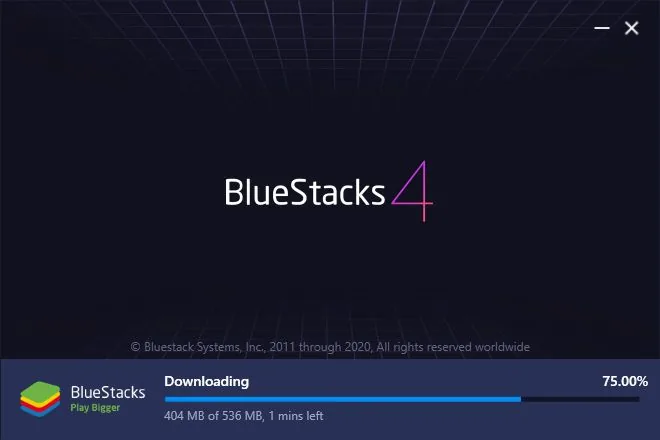
2. Open BlueStacks:
Launch BlueStacks on your computer.
3. Locate the APK File:
If the APK file is on your computer, remember its location.
4. Install the APK:
There are two methods to install the APK on BlueStacks:
4.1 Drag and Drop:
Simply drag the APK file and drop it into the BlueStacks window. BlueStacks will automatically start the installation process.
4.2 Using the ‘Install APK’ Button:
On the home screen of BlueStacks, look for the “Install APK” button, usually located on the sidebar.
Click on it, and a file explorer window will open.
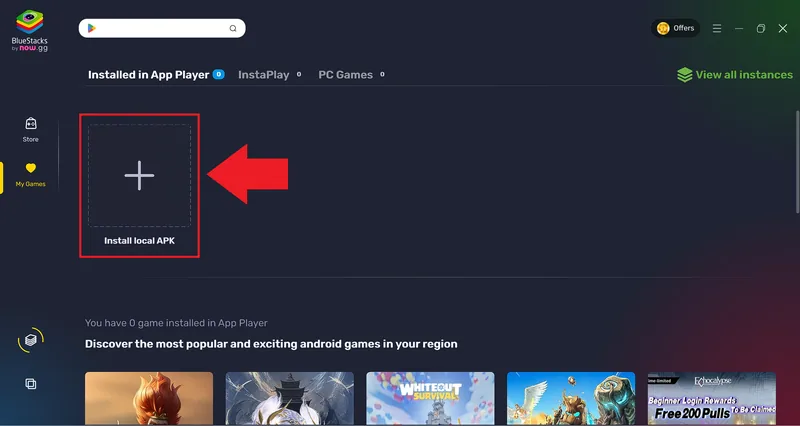
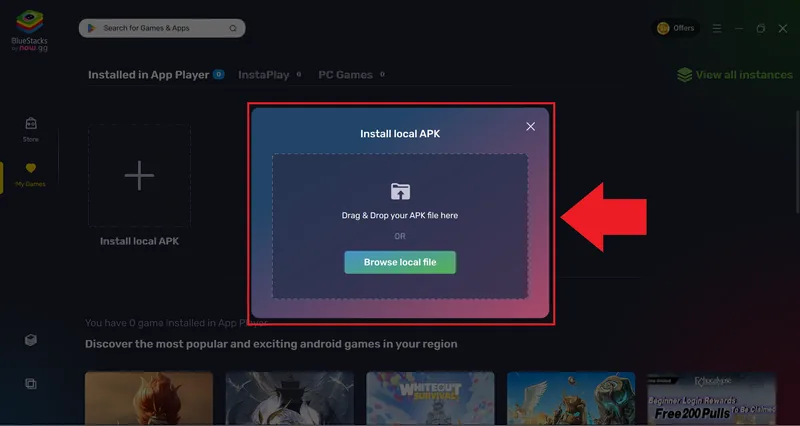
Navigate to the location where you saved the APK file, select it, and click “Open”.
BlueStacks will begin installing the APK file.
5. Open the App:
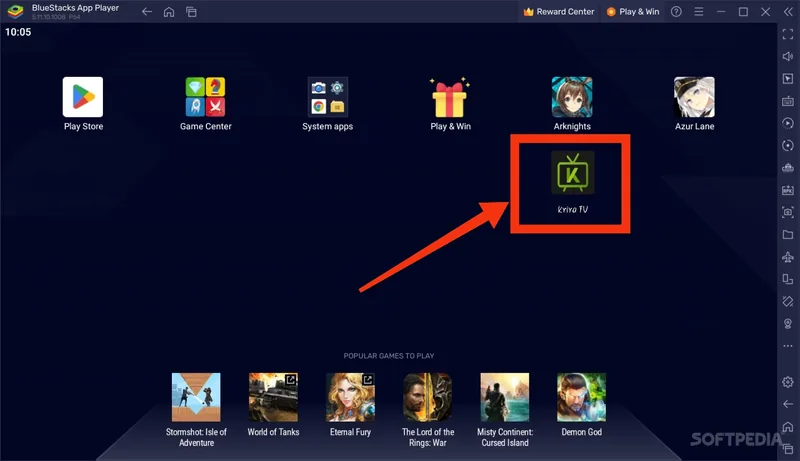
Once the installation is complete, you will see the app icon on the BlueStacks home screen or in the app drawer. Click on it to launch the app.
Best Android Emulators for Krira TV on PC
BlueStacks (covered above) is the most popular choice, but any modern Android emulator can run Krira TV. Pick the one that fits your computer:
| Emulator | Works On | Min RAM | Best For |
|---|---|---|---|
| BlueStacks 5 | Windows, Mac | 4 GB | Most users — easiest setup |
| LDPlayer | Windows | 2 GB | Low-end and older PCs |
| NoxPlayer | Windows, Mac | 2 GB | Custom controls and multiple windows |
| MEmu Play | Windows | 2 GB | Smooth video playback on mid-range PCs |
LDPlayer
Lightest option for older machines. Download LDPlayer from ldplayer.net, install it, then drag the Krira TV APK onto the LDPlayer window — it installs automatically. Find Krira TV on the home screen and open it.
NoxPlayer
Get NoxPlayer from bignox.com. After installation, use Add APK from the right-hand toolbar (or drag and drop the APK) and confirm. Nox also lets you map keyboard shortcuts to app controls.
MEmu Play
Download from memuplay.com. Click the APK icon in the sidebar, select the downloaded Krira TV APK, and MEmu installs it instantly. Enable “High FPS mode” in settings for smoother streams.
Tips for Smooth Streaming on Any Emulator
- Assign at least 2 CPU cores and 2–4 GB RAM to the emulator in its settings
- Enable hardware/GPU acceleration (called Virtualization/VT in BIOS) for HD playback
- Always download the APK from the official Krira TV download page — never from emulator app stores
- If a stream stutters, lower the quality to SD inside Krira TV or switch server links